


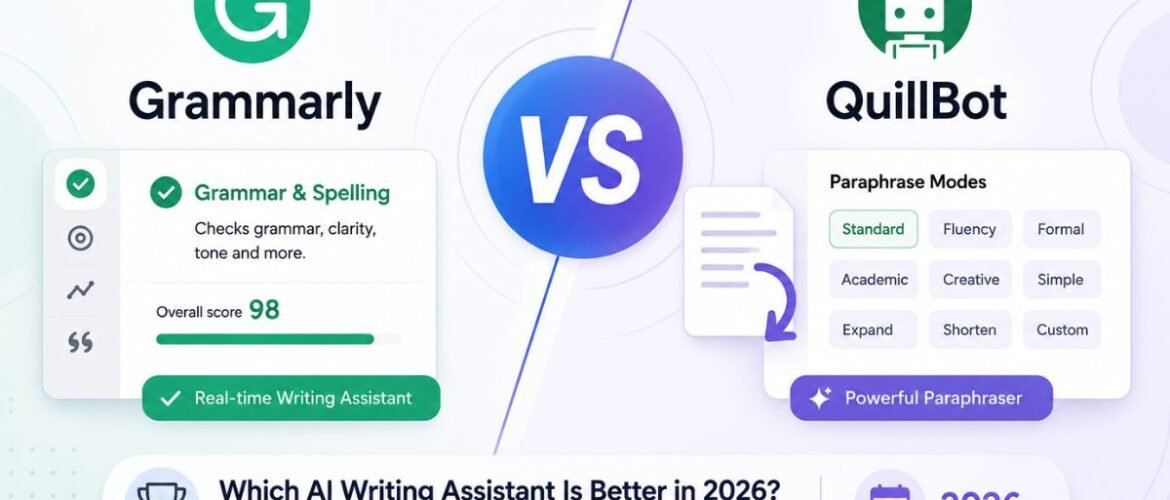
Grammarly vs QuillBot: Which AI Writing Assistant Is Better in 2026?
Grammarly corrects what you already wrote. QuillBot reshapes how you write. This guide breaks down features, pricing, accuracy, and use cases so you can pick the right tool without guessing.
- Grammarly excels at grammar checking, tone detection, and professional writing — integrated across 1M+ apps and sites.
- QuillBot is the stronger paraphraser with 9 rewrite modes versus Grammarly’s single full-sentence rewrite option.
- Grammarly Pro costs $12/month billed annually ($144/year); QuillBot Premium is $8.33/month billed annually ($99.95/year).
- Grammarly’s free grammar checker has no text-length cap; QuillBot’s free paraphraser is capped at 125 words per pass.
- Many students use both — Grammarly for the final grammar pass, QuillBot for paraphrasing and citations.
- Neither tool replaces human judgment. Use them as a first pass, not a final authority.
The Quick Verdict
Before the deep dive — here’s the short version. The right choice depends on whether your writing needs correcting or reworking.
Feature Comparison Table
| Feature | Grammarly | QuillBot |
|---|---|---|
| Core Strength | Grammar, spelling, tone & clarity checking | Paraphrasing & sentence rewriting |
| Free Plan Limit | Basic grammar/spelling, no length cap | 125 words per paraphrase, 2 of 9 modes |
| Premium Price (Annual) | $12/month ($144/year) | $8.33/month ($99.95/year) |
| Premium Price (Monthly) | $30/month | $19.95/month |
| Paraphrasing Modes | Full-sentence rewrites, fewer style options | 9 modes: Standard, Fluency, Formal, Academic, Creative, Simple, Expand, Shorten, Custom |
| Plagiarism Checker | Included in Pro | Included in Premium (25,000 words/month) |
| AI Content Detector | Included | Included |
| Citation Generator | Not available | Available (APA, MLA & more) |
| Tone Detection | Detailed, sentence-level | Basic |
| Integrations | 1M+ apps, Word, Docs, Gmail, Slack, Outlook | Chrome, Microsoft Word, Google Docs |
| Best For | Business writing, emails, professional docs | Academic paraphrasing, content repurposing |
Pricing Snapshot
QuillBot is the less costly subscription at $8.33/month versus Grammarly’s $12/month on annual billing. But price alone shouldn’t decide — value depends on which features you actually use weekly.
- Full-sentence rewrites
- Tone detection & coaching
- Plagiarism & AI detection
- Style guides for teams
- ~2,000 monthly AI prompts
- Unlimited paraphrasing (all 9 modes)
- Unlimited freeze words
- Plagiarism checker (25K words/month)
- Expanded summarizer
- Citation generator (APA, MLA & more)
Best Use Cases at a Glance
What Is Grammarly?
Grammarly started in 2009 as a grammar checker and has evolved into an AI writing assistant used by around 40 million users and tens of thousands of businesses. It works as a browser extension, desktop app, and native integration inside Google Docs, Microsoft Word, Gmail, Outlook, and Slack. In late 2025, Grammarly joined Superhuman’s product family, combining email and document tools with its writing technology.
Key Features
Real-time grammar, spelling, and punctuation correction as you type. Tone detection that flags passive-aggressive, overly formal, or unclear sentences. Full-sentence rewrites for clarity and conciseness. Plagiarism and AI-generated text detection on the Pro plan. Style guides and brand tones for teams. Roughly 2,000 monthly AI prompts on Pro for rewrites, replies, and content generation.
- Extremely accurate grammar and punctuation detection, even in long, complex sentences
- Works nearly everywhere you write — browser, desktop, and major apps
- Tone detection helps avoid miscommunication in professional settings
- Free plan is usable for basic writing with no length cap
- Full features locked behind the Pro plan ($12/mo annual)
- Rewrite suggestions are conservative — corrects more than reimagines
- No built-in citation generator for academic writers
- Monthly billing at $30/month is steep versus the annual rate
Who should use Grammarly? Anyone who writes emails, reports, proposals, or client-facing documents and needs to convey the right tone. It’s especially popular among non-native English speakers and business professionals whose writing is reviewed by managers or clients before it’s sent.
What Is QuillBot?
QuillBot is a paraphrasing-first AI writing platform built around eight core tools: Paraphraser, Grammar Checker, AI Detector, Plagiarism Checker, AI Humanizer, AI Chat, Translator, and Summarizer. Where Grammarly’s identity is correction, QuillBot’s identity is rewriting — the tool students and content teams reach for when a sentence is technically correct but needs to sound different.
Core Features
Nine paraphrasing modes (Standard, Fluency, Formal, Academic, Creative, Simple, Expand, Shorten, Custom). A grammar checker for punctuation and basic errors. A plagiarism checker scanning up to 25,000 words/month on Premium. A citation generator supporting APA, MLA, and other academic formats. A summarizer for condensing long text. An AI detector and humanizer for reviewing machine-written content.
- Nine rewrite modes give far more stylistic control than Grammarly
- Lower annual price at $8.33/month versus $12/month
- Built-in citation generator saves real time on research papers
- Freeze words let you lock specific terms during rewrites
- Free plan caps paraphrasing at 125 words per pass
- Grammar checking is less thorough than Grammarly’s engine
- No dedicated desktop app — browser, Word, and Docs only
- No team or enterprise plan with admin controls
Who benefits most from QuillBot? Students working on essays and dissertations, researchers converting studies into alternative formats, and content teams reworking old copy — anyone whose daily task is rewording rather than correcting.
QuillBot vs Grammarly: What’s the Biggest Difference?
The Core Distinction
Grammarly corrects what you already wrote. QuillBot reshapes how you write. Everything else — pricing, integrations, use cases — flows from that one difference.
Grammar Checking
Both catch basic spelling and punctuation issues, but Grammarly has the edge on subtle problems like subject-verb agreement across long clauses, misplaced modifiers, and comma splices that sometimes slip through QuillBot’s checker.
Paraphrasing
QuillBot’s nine modes — Academic, Creative, Expand, Shorten, and more — give you far more control than Grammarly’s competent but limited full-sentence rewrite feature.
AI Writing Assistance
Grammarly’s AI prompts help draft responses, create outlines, and generate content within a 2,000-prompt monthly limit. QuillBot’s AI Chat focuses on research assistance and quick rewrites rather than original content creation.
Tone Suggestions
Grammarly’s sentence-level tone detector flags whether your message could come off as harsh, unclear, or too casual. QuillBot has no equivalent at this level of detail.
Readability Improvements
Grammarly tightens sentences and flags wordiness. QuillBot restructures entire sentences, potentially improving flow further — but it may also shift nuances in the process.
Is Grammarly Better Than QuillBot?
For accuracy-driven, professional writing, the answer usually leans toward yes. Here’s why.
Accuracy: In tests with identical copy, Grammarly consistently identifies grammar and punctuation errors that QuillBot misses, especially in longer sentences with complex structure.
Writing quality: Grammarly offers advice that keeps your original voice while making expression clearer — it edits instead of rewriting, which works best for writers who want to sound like themselves, only more polished.
Error detection: Style concerns like excessive passive voice, inconsistent tense, and clunky phrasing are flagged by Grammarly but generally missed by QuillBot.
Editing experience: Grammarly’s real-time underline-and-suggest interface across nearly every app makes editing feel continuous rather than a separate step.
Is QuillBot Better Than Grammarly?
For anyone whose main task is rewording rather than correcting, the answer shifts toward yes.
Rewriting: QuillBot’s nine modes make it the clear winner when you need a passage to sound meaningfully different — restructured, not just cleaner.
Content repurposing: Turning a report into a blog post or a blog post into social captions is exactly the kind of task QuillBot’s Expand, Shorten, and Simple modes were built for.
Academic writing: The built-in citation generator, Academic paraphrasing mode, and generous plagiarism scan make QuillBot a natural fit for essays, research papers, and dissertations.
Grammarly vs QuillBot for AI Grammar Checking
As an AI grammar checker, Grammarly is purpose-built for the job, while QuillBot treats grammar checking as one feature among many. That difference shows in testing.
| Grammar Category | Grammarly | QuillBot |
|---|---|---|
| Grammar Accuracy | Catches subtle agreement & structural errors | Handles basics, misses complex issues |
| Punctuation | Strong on nested clauses & semicolons | Good on commas & apostrophes |
| Style Suggestions | Conciseness, formality, word choice | Tied to paraphrasing modes |
| Sentence Fluency | Suggestions without full rewrites | Fluency mode smooths phrasing effectively |
Grammarly vs QuillBot: Which AI Paraphrasing Tool Wins?
For paraphrasing, the comparison flips. QuillBot was built around this exact function, and it shows in both range and control.
| Paraphrasing Category | Grammarly | QuillBot |
|---|---|---|
| Rewrite Modes | Single general full-sentence rewrite | 9 modes from Academic to Creative |
| Maintaining Meaning | Conservative, safe rewrites | Generally good; Creative mode may drift |
| Plagiarism Avoidance | Separate plagiarism checker | Paraphraser + checker in one workflow |
| Human-Like Rewriting | Safe and literal | More natural in Standard & Fluency modes |
Grammarly vs QuillBot for Academic Writing
Most students end up needing both tools at different stages of the same paper.
How They Work Together for Academics
Research & Drafting: QuillBot’s Academic paraphrasing mode rewrites source material into your own voice. Its citation generator (APA, MLA) saves time on references.
Revision & Polish: Grammarly checks grammar and writing clarity on your final draft. Its tone detection catches overly casual or unclear phrasing before submission.
Long-form work: QuillBot’s high-word-count plagiarism check and paraphrasing modes handle chapter-length revisions. Grammarly works best as a polishing pass across the entire file.
Grammarly or QuillBot for Students?
Budget and workload matter as much as features for students.
Assignments and homework: Short tasks are handled well by both free plans. If your paraphrasing regularly exceeds 125 words or you need deeper grammar checks, consider upgrading.
Exam preparation: Neither tool is directly exam prep, but both help you learn essay structure and improve past written work.
Budget: QuillBot Premium runs about $8.33/month on annual billing. Grammarly doesn’t have a dedicated student discount but offers educational plans for schools.
Grammarly or QuillBot for Writers?
Bloggers and copywriters: Grammarly pulls ahead as a tone detector and clarity editor for reader-facing content. QuillBot is useful when paragraphs need genuine restructuring rather than surface-level tweaks.
Fiction writers: Grammarly can sometimes flatten a distinctive style. QuillBot’s Creative mode occasionally offers fresh phrasing during revision, but neither substitutes for a human editor with sensitivity to narrative voice.
Grammarly vs QuillBot: Free vs Premium
| Plan | Grammarly | QuillBot |
|---|---|---|
| Free Includes | Grammar, spelling, basic punctuation (no length cap) + limited AI prompts | Paraphrasing capped at 125 words, 2 of 9 modes, 1,200-word summarizer, basic grammar |
| Premium Adds | Full-sentence rewrites, tone detection, plagiarism & AI detection, style guides, ~2,000 AI prompts | Unlimited paraphrasing (all 9 modes), unlimited freeze words, plagiarism checker (25K words/mo), expanded summarizer |
| Best Value For | Daily business content — tone & clarity tools justify the higher price | Heavy rewriting tasks — essays, repurposed articles, research summaries |
Everyday proofreading: For a quick proofread — an email, a message, a short document — Grammarly’s real-time underline-and-correct approach is faster and more thorough than running text through QuillBot’s separate grammar checker. QuillBot is stronger when the proofread also needs a rewrite, not just a correction.
Which Tool Should You Choose?
Frequently Asked Questions
Is Grammarly better than QuillBot?
Is QuillBot better than Grammarly?
Can Grammarly replace QuillBot?
Which tool is more accurate at checking grammar?
Which AI writing assistant is better for students?
Final Verdict
There’s no single winner — Grammarly is best for people who need writing corrected, and QuillBot is best for those needing help to rework it.
Grammarly delivers superior grammar checking and tone detection. QuillBot offers unmatched paraphrasing variety and academic tools. For the best results, use each as a first-pass tool and combine software efficiency with your own human judgment.
Last Updated on: August 3, 2026
Leave A Comment