


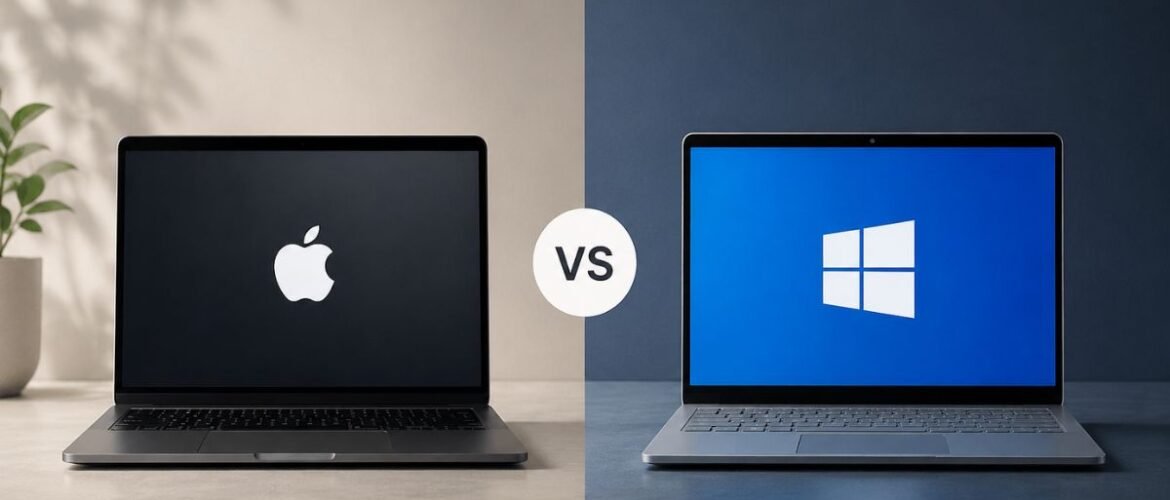
macOS vs Windows OS: A Complete Comparison of Performance, Battery, and Price
Real specs, not marketing lines. Performance, battery life, software compatibility, gaming, security, and pricing — compared so you can choose the right laptop for 2026.
- macOS vs Windows OS at a Glance
- Key Differences in One Minute
- Who Should Buy Which Operating System?
- Understanding macOS and Windows
- Performance Comparison
- Battery Life Comparison
- Software Compatibility & App Ecosystem
- Gaming Performance Comparison
- Security and Privacy Features
- User Experience and Ease of Use
- Customization and Upgrade Options
- Price Comparison
- Best OS for Different Users
- Pros and Cons
- Common Myths About macOS and Windows
- Expert Buying Tips
- Final Verdict
- Frequently Asked Questions
Can’t decide between a Mac and a Windows PC? Then compare performance, battery life, software compatibility, gaming, pricing, productivity factors, and many other areas to choose the right laptop for you in 2026.
The macOS vs Windows debate will probably be the biggest one for most laptop buyers in 2026. Essentially, the battle between the Mac operating system vs the Windows operating system narrows down to a few points: performance, battery life, and price — the ones that keep coming up in pretty much every laptop review you read all year.
You are probably here because you are comparing a MacBook against a Windows PC, checking real specs instead of marketing lines. Every buyer wants clarity on Windows vs macOS, not vague opinions dressed up as facts. This guide breaks down Apple macOS strengths and Windows operating system advantages so you can judge macOS vs Windows on merit.
No matter if you are choosing a MacBook vs a Windows laptop for your studies, work, or gaming, you deserve the truth and not the hype. By the end of it, the decision to go for Mac or Windows will have felt a lot easier.
macOS vs Windows OS at a Glance (Quick Comparison Table)
| Feature | macOS | Windows |
|---|---|---|
| Performance | Optimized for Apple Silicon | Depends heavily on hardware |
| Battery Life | 15–20 hrs (MacBook Air/Pro) | 6–12 hrs on average |
| Gaming Library | Limited, growing slowly | Extensive, industry standard |
| Starting Price | Premium, fixed configurations | Wide range, budget to premium |
| Customization | Low, locked ecosystem | High, open hardware market |
| Security Model | Sandboxed, notarized apps | Improved sharply since Windows 11 |
| Best For | Creative work, portability | Gaming, enterprise, custom builds |
| Upgradability | Soldered, not upgradable | Often upgradable RAM/storage |
Key Differences in One Minute
Windows vs macOS really comes down to control versus consistency. Windows lets you pick your processor, RAM, storage, and graphics card. macOS locks you into Apple’s ecosystem, but that consistency usually means fewer driver headaches and smoother updates across every device you own.
- Open hardware market
- Huge software catalog
- Wide price range
- Closed ecosystem
- Deep Apple integration
- Long-term software support
Who Should Buy Which Operating System?
Mac or Windows is never an answer that applies to everyone, and no headline can sell you on otherwise. macOS is for you if long battery life, video editing, and a clean interface are priorities. Windows is the practical route for shoppers who are on a deadline, gamers, and buyers of custom hardware builds with enterprise software.
Understanding macOS and Windows Before You Compare
Before any fair macOS vs Windows comparison, it helps to know what each platform actually is and who built it to serve.
What is macOS?
Apple’s macOS is a perfect fit for Mac computers based on Apple M-series chips. This image is largely due to Apple’s clean interface design, well-integrated hardware and software, as well as strong performance-to-power ratio. Major upgrades are released each year and, in general, Macs stay in Apple’s support system for at least six years.
What is Windows OS?
Windows OS continues to be Microsoft’s flagship product and runs on various computers such as laptops and desktops produced by companies like Dell, HP, Lenovo, Asus, and many other manufacturers. This openness, for which the argument between Windows versus macOS is kept alive, is because Windows offers way more choices in terms of hardware configuration — a real plus point for gamers, professionals, and budget buyers.
Performance Comparison — Which Operating System Is Faster?
The macOS vs Windows search usually refers to actual performance — the kind you can replicate daily, not synthetic benchmarks. Everyday multitasking with Apple Silicon chips feels comparatively snappier, but premium Windows machines with discrete GPUs still flag wins at targeted rendering, compiling, and gaming workloads.
Boot Speed and Daily Performance
In most laptop operating system comparison tests, MacBooks boot and wake from sleep faster, thanks to unified memory architecture. Windows laptops have closed the gap with fast NVMe storage, but results still depend heavily on which exact configuration you buy.
RAM Management and Resource Efficiency
Windows vs macOS memory management works differently at a structural level. macOS shares memory between CPU and GPU through a unified pool, which is genuinely efficient. Windows uses traditional RAM allocation, so you often need more RAM on a Windows machine to match the same multitasking smoothness.
Battery Life Comparison
Battery life remains a major consideration when weighing the pros and cons of macOS and Windows, particularly among students and remote workers.
Apple Silicon Battery Performance
With Apple Macs running macOS, the battery life of a MacBook Air or MacBook Pro is said to go for up to two full days on a single charge. The secret to this performance is Apple’s exclusive chip, made to be highly efficient while still offering fast performance.
Windows Laptop Battery Performance
The battery life of a Windows laptop depends a lot on many factors like the type of processor (the faster, the more power), the size of the display (larger means more power), and the capacity of the battery itself. On an average day, Windows laptops last between six and twelve hours.
Software Compatibility and App Ecosystem
Software availability decides more Mac or Windows purchases than raw specifications ever do.
Productivity Applications
Both platforms run Microsoft Office, Google Workspace, and nearly every major cloud tool without issue. Windows still holds the edge for legacy business software and niche industry-specific applications built decades ago.
Professional Creative Software
Creative professionals often lean toward macOS for Final Cut Pro, Logic Pro, and color-accurate displays, though Adobe’s Creative Cloud runs smoothly on both sides of the Windows vs macOS divide.
Business Software Compatibility
Enterprise tools, custom ERPs, and specialized accounting software frequently run only on Windows, which keeps it the safer default in most corporate IT environments.
Gaming Performance Comparison
Why Windows Dominates PC Gaming
The Windows operating system supports DirectX, a massive Steam catalog, and virtually every GPU manufacturer on the market. That’s why macOS vs Windows for gaming is such a lopsided comparison in Windows’ favor for most AAA titles.
Apple’s Progress in Gaming
Apple has invested in gaming through the Metal API and increasingly capable Apple Silicon GPUs, and more titles now ship natively for macOS. Still, macOS vs Windows for gaming remains a clear win for Windows if gaming is genuinely your priority.
Security and Privacy Features
Built-in Security in macOS
macOS relies on sandboxing, Gatekeeper, and strict app notarization, which has historically made it a smaller target for malware.
Windows Security Improvements
Windows has closed much of that gap with Windows Defender, Secure Boot, and frequent patch cycles, though its larger install base still attracts far more attempted attacks.
User Experience and Ease of Use
Interface and Navigation
macOS favors a minimalist, gesture-driven interface with a fixed menu bar. Windows offers a more customizable taskbar and Start menu, which appeals to users who like visible, granular control.
Learning Curve for Beginners
New users often find Apple macOS more intuitive on day one, while long-time PC users may find switching sides of Windows vs macOS mildly disorienting at first — that adjustment usually fades within a week or two.
Customization and Upgrade Options
Hardware Flexibility in Windows
The Windows operating system lets you swap RAM, storage, and even graphics cards on many laptops and most desktops, which meaningfully extends a machine’s usable life.
Apple’s Integrated Ecosystem
Apple macOS devices are largely sealed and non-upgradable, but they integrate seamlessly with iPhone, iPad, and Apple Watch through Handoff, AirDrop, and Continuity features that Windows simply cannot replicate.
Price Comparison — Which Offers Better Value?
Entry-Level Devices
Budget Windows laptops start well below any current MacBook, which makes macOS vs Windows a clear win for Windows if entry-level pricing is your main constraint.
Premium Devices
At the high end, the pricing gap narrows considerably, with premium Windows ultrabooks often matching MacBook Pro pricing feature for feature.
Long-Term Cost of Ownership
macOS devices tend to hold resale value longer and keep receiving software updates for more years, which can offset a higher upfront price across a typical four-to-six-year ownership cycle.
Best Operating System for Different Users
Students
macOS vs Windows for students usually favors the MacBook Air for battery life and portability, though budget Windows laptops remain the more realistic pick for tighter budgets.
Office Professionals
Windows still dominates corporate environments, largely thanks to software compatibility and mature IT management tools that most companies already rely on.
Content Creators
Creators editing video or audio frequently prefer macOS for its color accuracy, quiet thermals, and tightly optimized creative software pipeline.
Developers
Whether macOS is better than Windows for programming really depends on your stack. macOS is popular for iOS and web development thanks to Unix-based terminal tools, while Windows with WSL now handles most other development stacks comfortably.
Gamers
For gamers, macOS vs Windows for gaming isn’t much of a debate — Windows wins clearly on GPU support, driver maturity, and sheer game availability.
Why Macs Are Better Than Windows — Is the Claim True?
“Why Macs Are Better Than Windows” is a popular claim that has been surfacing online, but it only holds up in specific contexts like battery life, build quality, and creative workflows — not as a blanket rule for macOS vs Windows overall.
- Long battery life for all-day mobile work
- Premium build quality and display accuracy
- Seamless integration across Apple devices
- Gaming performance and game library size
- Hardware customization and component upgrades
- Enterprise and legacy software compatibility
Pros and Cons of macOS
- Excellent battery life: Apple Silicon chips deliver exceptional energy efficiency, allowing MacBooks to last all day without sacrificing performance.
- Strong privacy & sandboxing: macOS enforces strict app permissions, effectively isolating programs and preventing unauthorized data access.
- Reliable long-term updates: Mac hardware receives major macOS updates and security patches for many years.
- Ecosystem integration: Seamless connectivity to share files, sync notes, answer calls, and copy text across iPhones, iPads, and Macs.
- More expensive: Entry-level Mac computers have a higher starting price than comparable Windows laptops.
- Limited upgradeability: Unified memory and soldered storage prevent manual RAM or storage upgrades after purchase.
- Weaker gaming support: Fewer mainstream developers optimize titles for macOS, resulting in a smaller gaming catalog.
Pros and Cons of Windows
- Wide hardware selection: Hundreds of laptop models, desktop builds, and form factors at practically every price point.
- Superior gaming support: Full graphics driver coverage and the ability to run most contemporary PC games directly.
- Greater business compatibility: Legacy enterprise software and customized corporate programs run without workarounds.
- More customization: Swap graphics cards, add memory, or replace hard drives on desktops and many laptops.
- Quality varies by brand: Build quality, trackpad reactivity, and screen color accuracy differ widely across manufacturers.
- Pre-installed bloatware: Many entry-level and mid-range laptops ship with unnecessary third-party software.
- Premium pricing at the top end: High-end Windows ultrabooks can rival the best Apple laptops in price.
Common Myths About macOS and Windows
Macs never get viruses. Apple’s macOS indeed benefits from one of the strongest sandboxing security measures, but none of them offer complete immunity — browsing the internet carefully is advisable no matter which laptop OS you choose.
Windows is always cheaper. Although low-budget devices are quite accessible, the price of ultra-slim Windows laptops with premium build quality can match a MacBook at the same tier.
macOS can’t run Windows software. It’s possible for users to run Windows software seamlessly on their Mac without needing a separate Windows PC, thanks to virtualization tools like Parallels.
Expert Buying Tips Before Choosing an Operating System
Selecting the ideal computer requires evaluating how a system fits into your daily workflow rather than relying on brand popularity alone. Assessing your practical requirements helps narrow down the choices during a laptop operating system comparison.
Software dependencies: Determine if your daily workflow requires specialized business tools or creative software native to Apple macOS.
Gaming priorities: Consider whether native game compatibility and custom graphics drivers make Windows necessary for your setup.
Ecosystem and hardware: Decide if seamless cross-device integration outweighs the flexibility of custom hardware offered by a Windows PC.
Evaluating these core factors ensures you select the right MacBook vs Windows laptop setup tailored to your specific budget and long-term goals.
Is macOS Better Than Windows for Your Needs?
Determining whether a system fits your routine comes down to matching your daily tasks with platform strengths rather than relying on brand loyalty. The debate between Apple macOS and Windows hinges on what you value most in a personal computer.
- Creative workflows & portability: Generally macOS — especially for iOS development, quiet performance, and exceptional battery life.
- Gaming & corporate compatibility: Dedicated gamers and corporate users often lean toward Windows due to superior driver support and native enterprise compatibility.
- Long-term value: Macs offer higher resale value, while Windows provides broader hardware choice and component upgradeability.
Ultimately, your choice in the macOS vs Windows debate depends on your specific workflow rather than a universal winner.
Ready to buy your next laptop? Compare the latest MacBooks and Windows laptops, check today’s best deals, and choose the perfect device based on your budget and workflow.
Frequently Asked Questions
Disclaimer: This article is intended for general informational purposes only. Specifications, pricing, and performance figures for macOS and Windows devices vary by model, configuration, and region, and results may differ from one user’s experience to another. Always verify current specifications and pricing directly with Apple, Microsoft, or authorized retailers before making a purchase decision.
Last Updated on: August 18, 2026
Leave A Comment